Why Is My Computer So Slow? 7 Causes & How to Fix It
A slow computer is one of the most frustrating technology problems — and one of the most common reasons Sacramento-area residents bring their machines to us at MNM Computers in Citrus Heights. The good news: in most cases, a sluggish computer can be dramatically improved, often same-day.
Before you resign yourself to buying a new computer, read through these seven common causes of slowdown. You might be surprised how fixable the problem is — and how much faster your current machine can run.
7 Reasons Your Computer Is Running Slow
1. Too Many Startup Programs
Symptoms: Computer takes 3–5+ minutes to become usable after boot. Everything works fine once it's loaded, but getting there is painful.
What's happening: Over time, every app you install tends to add itself to your startup sequence. Spotify, Dropbox, Discord, Adobe updaters, browser helpers — they all launch at startup and compete for your CPU and RAM during the most critical phase of the boot process.
What MNM does: We audit your startup programs, disable unnecessary entries, and configure your system to boot cleanly — often cutting boot time in half or better.
2. Full or Fragmented Hard Drive
Symptoms: Programs take a long time to open, saving files is slow, and the hard drive light seems to be constantly on.
What's happening: Traditional spinning hard drives (HDDs) slow down significantly when they're more than 80–85% full or heavily fragmented. Windows needs free space to create temporary files, and fragmented data means the drive head physically has to travel further to read files.
What MNM does: We clean up unnecessary files to reclaim disk space, run a defragmentation if appropriate, and — for a major performance upgrade — we can clone your existing drive to a solid-state drive (SSD). An SSD upgrade is often the single biggest speed improvement you can make to an older computer, reducing boot times from minutes to seconds.
3. Malware or Virus Infection
Symptoms: Sudden dramatic slowdown, pop-up ads, browser redirects, or your antivirus reporting threats it can't remove.
What's happening: Many types of malware run hidden background processes that consume your CPU and RAM. Cryptocurrency miners are especially notorious for this — they silently use your hardware's full power while you try to work. Other malware continuously transmits data over your network, causing further slowdowns.
What MNM does: We perform a deep malware scan using professional-grade tools, remove all traces of infection, repair any system damage caused by the malware, and set up protection to prevent reinfection. Learn more on our computer virus removal guide.
4. Insufficient RAM
Symptoms: Computer slows to a crawl when you have multiple browser tabs open or run more than one program at a time. You may hear the hard drive churning when switching between apps.
What's happening: When your computer runs out of available RAM, it starts using your hard drive as "virtual memory" — a process called paging or swapping. This is dramatically slower than real RAM. If you're running 4GB of RAM with Windows 11 and a modern browser, you're almost certainly paging regularly.
What MNM does: We test your current RAM usage patterns and capacity, then recommend and install a RAM upgrade if your motherboard supports it. Doubling RAM from 4GB to 8GB, or 8GB to 16GB, can make a computer feel like new.
5. Overheating CPU
Symptoms: Computer runs fine for a few minutes, then gets progressively slower. Fans run loudly. System may randomly shut down during demanding tasks.
What's happening: Modern CPUs automatically throttle their performance (thermal throttling) when they get too hot — this is a safety feature designed to prevent permanent damage. Dust buildup inside the case and on the CPU cooler is the most common cause. Dried-out thermal paste between the CPU and its heatsink is another major culprit, especially on computers 3–5+ years old.
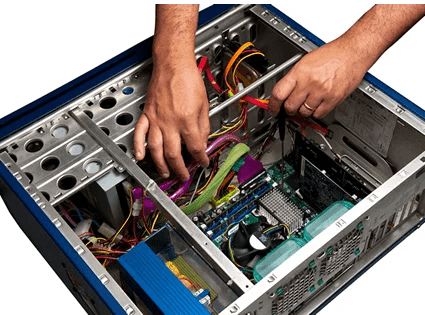
What MNM does: We open the case, clean all dust from fans and heatsinks using compressed air, and replace the thermal paste on the CPU (and GPU if needed) with fresh high-quality compound. The difference in temperature — and therefore performance — is often dramatic.
6. Outdated Drivers or Operating System
Symptoms: Gradual slowdown over time, occasional crashes or blue screens, certain programs behaving erratically.
What's happening: Outdated device drivers — especially graphics drivers — can cause significant performance problems. An OS that hasn't been updated may also have unpatched performance bugs or security vulnerabilities that allow malware to take hold. Conversely, sometimes a bad Windows Update can also cause slowdowns.
What MNM does: We audit your driver versions, update what needs updating, identify any problematic updates that may have caused slowdowns, and ensure your OS is properly configured for performance.
7. Failing Hard Drive
Symptoms: Random freezes, programs hanging for no apparent reason, files taking unusually long to open or save, occasional "file not found" errors for files you know exist. You may hear clicking or grinding sounds from the drive.
What's happening: Hard drives have a finite lifespan — typically 3–5 years for heavy use. As sectors on the drive begin to fail, the drive has to work harder to read and write data, causing severe slowdowns. This is a warning sign of imminent failure, which means potential data loss.
What MNM does: We run a full S.M.A.R.T. diagnostic on your drive to assess its health, back up your data immediately if the drive is at risk, and replace the failing drive with a new SSD. This is an urgent situation — don't ignore these symptoms.
Quick Fixes You Can Try at Home
Before bringing your computer in, try these basic steps — they fix a surprising number of slowdown cases:
- Restart your computer — A full restart (not just sleep) clears RAM, flushes temporary files, and applies pending updates. If you never restart, your system accumulates memory leaks and background processes over time.
- Clear temporary files — Press Windows + R, type
%temp%, and delete everything in that folder. Then run Disk Cleanup (search for it in the Start menu) to clear additional junk files. - Check Task Manager — Press Ctrl + Shift + Esc to open Task Manager, then click the CPU or Memory column to sort by usage. If an unfamiliar process is consuming 50%+ of your CPU, that's a red flag worth investigating.
- Check available disk space — Open File Explorer and check how much free space your C: drive has. If it's under 10–15%, that alone will significantly slow your computer.
When to Bring It to MNM Computers
The home fixes above are good first steps, but there are clear situations where professional help is the right call:
- Your computer is still slow after restarting and clearing temp files
- Task Manager shows unexplained high CPU or memory usage
- You hear clicking, grinding, or unusual sounds from the drive
- The computer randomly shuts down or overheats to the touch
- Your antivirus detects threats it can't fully remove
- The slowdown happened suddenly after a specific event (update, download, website visit)
- You haven't had it serviced in 2+ years
We offer a free diagnostic on all computer slowdown issues — we'll tell you exactly what's wrong and what it will take to fix it, with no obligation. Most slowdown repairs are completed same-day at our Citrus Heights computer repair shop.
Frequently Asked Questions
How much does it cost to fix a slow computer in Sacramento?
It depends on the cause. Simple tune-ups (startup cleanup, temp file removal, driver updates) start at a low flat rate. RAM upgrades, SSD installations, and malware removal are priced based on the specific work needed. We always give you a firm quote before starting any work — and the diagnostic is always free. Call us at (916) 721-6677 for current pricing.
Can you speed up an old computer, or should I just buy a new one?
In most cases, an older computer can be dramatically improved for a fraction of the cost of a new machine. An SSD upgrade and RAM addition can make a 6–8 year old computer feel almost new. We'll honestly assess your machine and let you know if repair makes financial sense — we won't talk you into a repair that won't be worth it.
How long does a computer tune-up take at MNM Computers?
Most standard tune-ups and performance optimizations are completed same-day, often within a few hours. More involved repairs like SSD cloning or malware removal may take until the next day depending on complexity. We'll give you an accurate time estimate when you drop off your computer.
Is Your Computer Running Slow? We Can Fix It — Often Same-Day.
📞 Call (916) 721-6677 Computer Repair Page