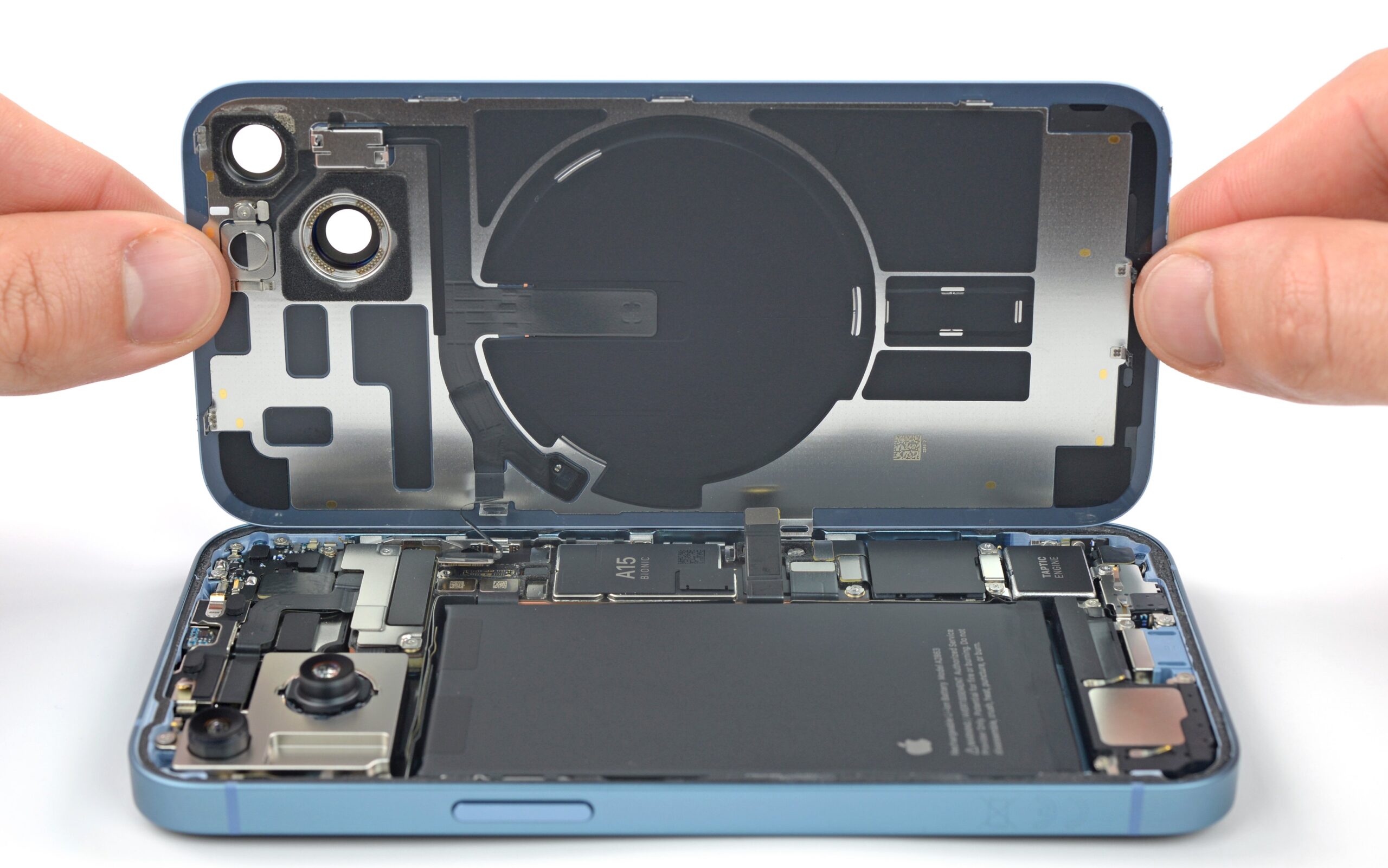
iPhone Won't Turn On? What to Do Before Panicking
You pick up your iPhone and the screen is completely black. You press the side button — nothing. You press it again, harder — still nothing. That cold, sinking feeling sets in. Before you rush to the store or start searching "iPhone repair near me," take a breath. In many cases, an iPhone that won't turn on can be revived with a few simple steps.
At MNM Computers in Citrus Heights, we see iPhones with this exact problem every day. Here's the step-by-step approach we'd recommend — and a clear explanation of when professional help is genuinely needed.
First, Try These Steps
Work through these in order before drawing any conclusions about your phone's condition.
Charge It First — and Wait
Plug your iPhone into a charger you know works (try a different cable and adapter if possible) and leave it for at least 15–30 minutes before trying to turn it on. A completely dead battery won't show the charging screen immediately — sometimes it takes several minutes before any display response occurs. This solves the problem more often than you'd think.
Force Restart Your iPhone
A force restart is different from a normal restart — it resets the hardware directly and can revive a phone that's frozen in an unresponsive state. Use the correct method for your iPhone model:
- iPhone 8, X, 11, 12, 13, 14, 15, 16 (any): Press and quickly release Volume Up → Press and quickly release Volume Down → Press and hold the Side button until the Apple logo appears (up to 10 seconds). Release when you see the logo.
- iPhone 7 and iPhone 7 Plus: Press and hold both the Volume Down button and the Sleep/Wake (Side) button simultaneously for at least 10 seconds until the Apple logo appears.
- iPhone 6s, 6s Plus, SE (1st gen), and earlier: Press and hold both the Home button and the Sleep/Wake (Top or Side) button simultaneously for at least 10 seconds until the Apple logo appears.
If the Apple logo appears, you're in good shape — let it boot normally.
Try a Different Charger and Cable
Damaged Lightning or USB-C cables are extremely common and often the sole reason a phone appears dead. The cable may look fine externally but have broken internal wires. Try a different certified cable and wall adapter. Avoid cheap third-party cables — they can cause charging failures and even damage the charging port over time.
Connect to iTunes or Finder (Recovery Mode)
If the force restart didn't work but you can still get a response (or if you see the "Connect to iTunes" screen), connect your iPhone to a computer with iTunes (Windows) or Finder (Mac with macOS Catalina or later). This can initiate a recovery mode restore that saves a phone with deeply corrupted firmware — though it will require restoring from a backup.
5 Reasons Your iPhone Won't Turn On
If the steps above didn't revive your phone, one of these underlying issues is likely the cause:
1. Completely Dead Battery
A battery that has been fully discharged for an extended period (or a battery that has degraded severely) may not show the charging screen right away and may not respond to a normal press of the side button. Unlike what many people expect, a completely dead iPhone won't show any activity for the first 5–15 minutes of charging. If the battery health has dropped to critically low levels, it may not hold enough charge to power on at all — and replacement is required.
2. Software Crash / Frozen Firmware
iOS occasionally enters a frozen state where the phone appears completely dead but is actually stuck in a crashed software loop. The phone is technically "on" — just non-responsive. This is more common after a failed iOS update, an interrupted backup restore, or certain app crashes. A force restart (see above) is specifically designed to break this cycle, and it works in the majority of software-related cases.
3. Damaged Charging Port
If your iPhone's charging port is damaged — from wear, debris, or a bent connector — the phone simply can't charge. A phone that can't charge will eventually die and can't be turned on. Signs of a port problem include the cable fitting loosely, the phone only charging at certain angles, or the charging indicator not appearing when plugged in. Lint packed inside the port is also surprisingly common and can be carefully removed.
4. Failed Logic Board
The logic board is essentially the brain of your iPhone. When it fails — due to physical impact, a power surge, age, or manufacturing defect — the phone cannot complete its startup sequence regardless of battery charge. Logic board failures often present as a phone that charges (the charging indicator may show) but simply never turns on. This is one of the more serious iPhone repairs, requiring component-level diagnosis.
5. Severe Water Damage
While modern iPhones carry water resistance ratings, they are not waterproof — and water resistance degrades over time. Water damage can cause corrosion on internal components, short circuits on the logic board, and battery damage that collectively prevent the phone from powering on. If your phone was recently exposed to water, liquid, or even excessive humidity, this may be the culprit. Do not attempt to charge a water-damaged phone — this can cause further short-circuit damage.
What the Black Screen of Death Means
Important distinction: A "black screen of death" is not the same as a simply dead battery. A dead battery leaves the phone completely non-functional — no response to anything. A black screen of death means the phone is on and running (the screen backlight may even be faintly on if you look closely in a dark room), but the display isn't showing anything. This is often a display connector issue or a screen failure — not a battery or software problem.
Signs you may have a black screen of death rather than a dead battery:
- You can hear notification sounds or feel haptic feedback (vibration) when the screen is black
- The phone responds to Siri ("Hey Siri" gives an audio response)
- iTunes or Finder recognizes the phone when connected via cable
- The screen is faintly backlit but shows no image
In these cases, the issue is almost certainly a display problem — the screen itself or its connection to the logic board — rather than a power problem. Screen replacement is a common, straightforward repair at our Sacramento iPhone repair shop.
When Force Restart Doesn't Work — Time to Bring It In
If you've tried the force restart, let it charge for 30+ minutes, tried a different cable, and still have no response, it's time for a professional diagnosis. Here's what that means in practice:
- Continuing to attempt fixes at home risks missing a time-sensitive issue (water damage corrosion spreads)
- Attempting to open the phone yourself without proper tools risks display damage and permanent void of any remaining warranty
- A technician can run diagnostic tests that identify the exact failing component in minutes
Bring your iPhone to MNM Computers at 7613 Greenback Lane, Citrus Heights, Sacramento CA 95610 for a free diagnostic. We'll tell you exactly what's wrong before any work begins.
What Our Technicians Check First
When an iPhone that won't turn on comes into our shop, here's the diagnostic process our technicians follow:
- Battery voltage test — We measure the battery's actual voltage to determine if it can hold a charge at all, and whether it needs replacement
- Charging port inspection — Visual and electrical inspection of the Lightning/USB-C port for damage, debris, or corrosion
- Logic board inspection — We look for signs of water damage (corrosion on the indicator strips), physical impact damage, or burned components
- Display connector check — Reseating the display connector to rule out a loose connection
- Software recovery attempt — If hardware checks out, we attempt DFU mode restore via iTunes/Finder
- Component-level diagnosis — If standard checks don't reveal the issue, we proceed to component-level board diagnosis
Most iPhone power issues are resolved by battery replacement or software recovery. We'll give you a clear answer and honest quote — see our full iPhone repair services page for more information.
Frequently Asked Questions
My iPhone won't turn on and it's not responding to charging at all — is it dead for good?
Not necessarily. A completely unresponsive iPhone is most commonly caused by a dead or failed battery, a damaged charging port, or a software crash — all of which are repairable. Logic board failures and severe water damage are more serious, but even those can sometimes be recovered. Bring it in for a free diagnostic and we'll give you a straight answer about what's salvageable.
How much does it cost to fix an iPhone that won't turn on in Sacramento?
It depends on the cause. Battery replacements are among the most affordable iPhone repairs. Screen replacements, charging port repairs, and logic board work vary by model and complexity. We offer a free diagnostic so you know exactly what's wrong and what it costs before committing to any repair. Call us at (916) 721-6677 for current pricing on your specific iPhone model.
Can you recover my data if my iPhone won't turn on?
In many cases, yes — especially if the issue is a battery, charging port, or display problem, since your data remains intact on the phone's storage. Even with some logic board issues, data recovery is sometimes possible. If you have an iCloud or iTunes backup, recovery is straightforward once the phone is repaired. Let us know data recovery is a priority when you bring it in — we'll factor that into our approach. Also see our iPhone battery replacement guide for more context on battery-related issues.
iPhone Won't Turn On? Bring It In — Free Diagnostic, No Obligation.
📞 Call (916) 721-6677 iPhone Repair Page